
Hiring Board
Here are your applicants. Open a card to take a look, then move it along when you’re ready.

Hey, let me show you around. Send a driver your application link, and what they submit lands here in Hiring. Open it when you’re ready.

Here are your applicants. Open a card to take a look, then move it along when you’re ready.
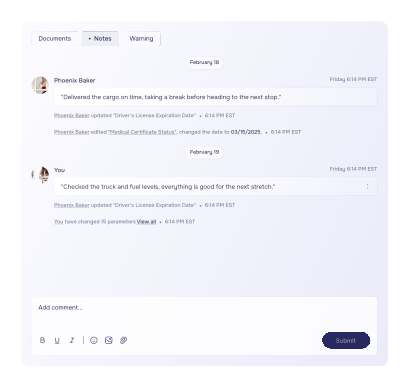
Just spoke to a driver? Leave a quick note for your team.
Found your next driver? Their details and documents come along to their driver profile.
Here’s your hiring board. Open a driver application, or switch to the list if you prefer.
You can attach it to a candidate’s note. Your colleague can find it there.
After hiring, head to the driver profile. Their paperwork is there for your team.
Driver calling back? Pull up their application and have a look while you talk.
Working on hiring together? Assign a teammate to the candidate so you know who’s following up.
Move them to Hired. Now you can open their driver profile and take a look at the paperwork.
Create a link in Job Post and send it over. Drivers fill out their applications online; you check their progress here.
Share your link. Submitted driver applications show up in Hiring.
Open their driver application and see where things stand.
Keep driver documents in their profile. Add new copies as they arrive.
If you’re here to apply for a driving job, ask the company you want to join for its application link. This page is for the team receiving those applications.
Next up: driver qualification files (DQF) and PDF signing. Want to know the cost? See pricing.
Yep. Create a job post, grab the application link and send it to your drivers.
Yes. Once they finish the first step, you’ll see them as a lead. They might still be filling out the rest.
They get a driver profile, with their information and documents carried over. You can keep working from there.
From an online driver application to a hired driver. Follow the steps before rolling the workflow out to your team.